The Short Answer
Your watch most likely calculates zones as a flat percentage of an estimated max heart rate, while a heart rate reserve calculation (the Karvonen formula) factors in your resting heart rate too. These are 2 different formulas, and they produce different zone boundaries for the same person at the same effort. Add in a guessed max heart rate and normal sensor lag, and a real mismatch shows up.
None of this means your watch is broken or that your fitness is bad. It means the number on your wrist and the number from a personalized calculation are answering slightly different questions.
The Root Cause: Two Different Zone Formulas
Most consumer wearables default to a simple percentage of max heart rate for each zone. Which devices do, and why that default falls short, is covered device by device in why your wearable's heart rate zones are wrong.
The Karvonen formula works differently. It uses heart rate reserve, the gap between your max heart rate and your resting heart rate, as the basis for each zone instead of a flat percentage.
Karvonen method: Target HR = Resting HR + (Intensity% × (Max HR − Resting HR))
The 2 methods agree only when resting heart rate happens to land near 0, which never happens in practice. The gap between them widens as resting heart rate drops, meaning fitter people see the biggest mismatch between what their watch shows and what a Karvonen calculation would show for the same effort.
Your Watch Is Guessing Your Max Heart Rate
Your watch's max heart rate is likely an age-based estimate, not a tested number. Many devices start from the 220-minus-age formula or something close to it, which carries a documented margin of error of roughly ±10 to 12 bpm.
If your true max heart rate runs higher than the formula assumes, which is common, your watch is working from a ceiling that's too low. That skews every zone underneath it. Manually entering a max heart rate from a real test, such as the field test protocol described in how to test your actual max heart rate, corrects this at the source rather than compounding the error through every zone calculation downstream.
Worked Example: Same Workout, Two Different Zone Systems
Here's a 50-year-old with a resting heart rate of 58 bpm, a fairly typical profile for someone who's been training consistently for a while.
- Max HR = 220 − 50 = 170 bpm
- Zone 2 (60–70% of Max HR) = 102–119 bpm
- Max HR = 170 bpm, Resting HR = 58 bpm
- Heart Rate Reserve = 170 − 58 = 112 bpm
- Zone 2 (60–70% of HRR) = 58 + (0.60 × 112) to 58 + (0.70 × 112) = 125–136 bpm
That's a 17 to 23 bpm gap between the 2 systems for the exact same person and the exact same intended effort. A heart rate of 130 bpm during this workout registers as Zone 3 on the percentage method, while the Karvonen calculation places it squarely in Zone 2. The lower your resting heart rate, the wider that gap gets, because a flat percentage of max never accounts for the extra room between your resting and max heart rate.
Sensor Lag and Placement Can Also Throw Off Your Zone
Beyond the formula difference, optical wrist sensors have a short catch-up delay, which can make your zone reading lag behind your actual effort. This shows up most at the start of a workout and right after a sudden change in pace, since the sensor needs a moment to register the new heart rate.
The type of exercise matters too. A 2017 study in Medicine and Science in Sports and Exercise tested wrist and forearm monitors against an ECG on a treadmill, a stationary bike, and an elliptical. On the treadmill, most devices held up well. On the bike and the elliptical, especially with arm movement, the optical sensors lost accuracy. The chest strap matched the ECG almost exactly in every condition. So if your zones only look wrong on the bike or the elliptical, the sensor may be part of the problem, on top of the formula difference.
A snug, higher-on-the-wrist fit for optical sensors, or a chest strap for sessions where precision matters most, reduces this source of error.
Other Things That Throw Off a Wrist Reading
If the formula and your max heart rate are sorted and a reading still looks wrong, the sensor itself is the next place to look. Optical sensors shine light into your skin and measure how much comes back as blood pulses through it, so anything that changes blood flow near the surface or blocks the light can throw the number off.
Fit and position. Apple's accuracy guidance is to wear the watch snugly on top of your wrist, with the sensor staying close to your skin. A loose band lets outside light leak in and lets the sensor bounce with each step. For hard sessions, sliding the watch a finger's width up your forearm and tightening it a notch usually steadies the reading.
Cold weather. In the cold, blood flow to the skin of your wrist drops, and Apple notes it can fall too low for the sensor to get a reading at all. Expect patchy or low numbers early in a winter run, until you warm up. Wearing the watch under a sleeve helps.
Tattoos. According to the same Apple page, the ink, pattern, and saturation of some tattoos can block the sensor's light. If your watch sits on a tattooed wrist, try the other wrist or pair a chest strap.
Skin tone. This comes up often, but a 2020 Duke study that tested consumer and research-grade wearables across the full range of skin tones found no statistically significant difference in accuracy. The same study found that error during activity was about 30% higher than at rest, which points back to motion as the bigger problem.
Cadence lock. During steady running, an optical sensor can latch onto the rhythm of your stride instead of your pulse, a problem the Duke researchers call signal crossover. The telltale sign is a heart rate that jumps to roughly your step rate, often 160 to 180, and stays flat even as your effort changes. A chest strap is the reliable fix.
Irregular movement. Apple also notes that rhythmic movement like running or cycling gives better readings than irregular movement like tennis or boxing. For strength circuits, HIIT classes, or racket sports, treat the wrist number as a rough guide.
The quickest way to find out whether the sensor is the problem: wear a chest strap alongside your watch for 1 or 2 workouts and compare the 2 readings. If they agree, the difference you're seeing comes from the zone formula. If they don't, it's the sensor.
How to Get Your Watch's Zones Closer to Accurate
Start with your max heart rate. If your device allows a manual entry, replace the age-based default with a tested number using a supervised field test or race effort rather than the formula estimate.
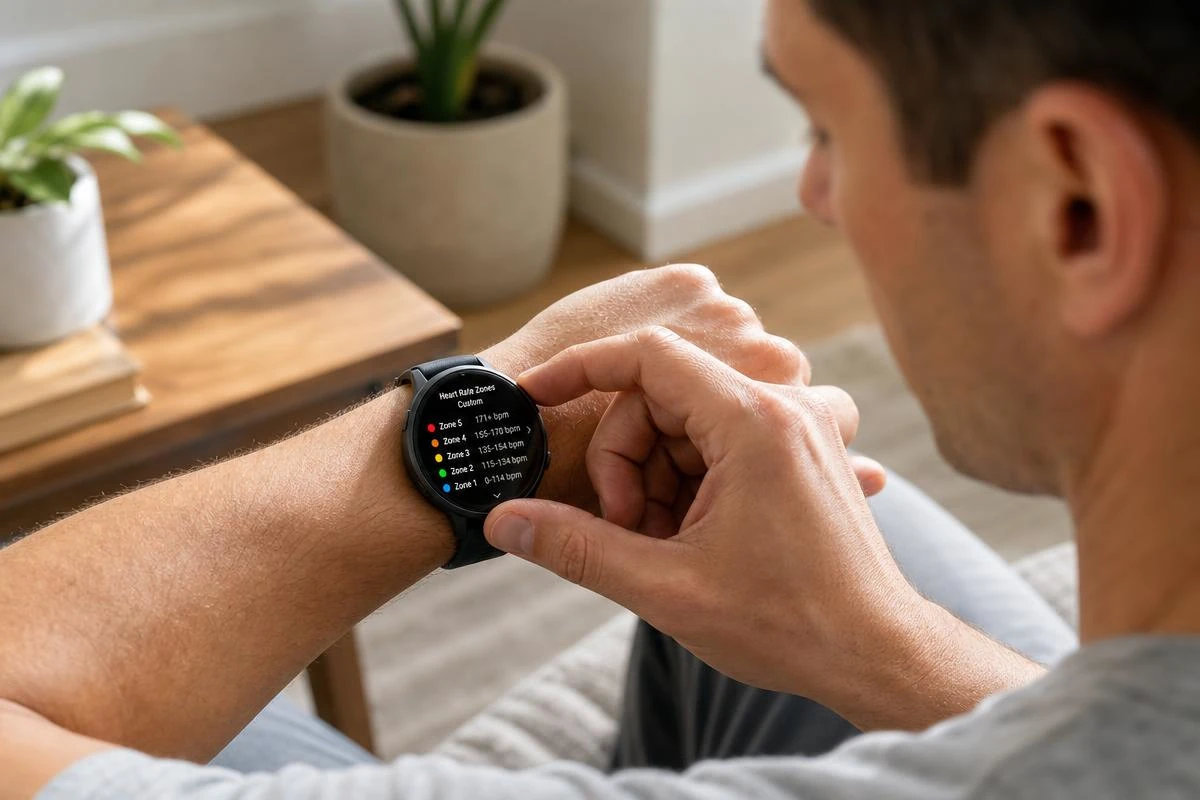
Next, check whether your device supports a heart rate reserve or custom zone setting instead of the default percentage-of-max system. Garmin and COROS offer a heart rate reserve setting, Polar and Apple Watch let you type in your own zone limits, and Fitbit and Whoop already use heart rate reserve by default. For the exact menu steps, see the Apple Watch vs. Garmin setup guide.
Finally, run your own numbers through a Karvonen calculator using your actual resting heart rate, and compare the output side by side with what your watch currently shows. The size of the gap tells you how much your watch's default settings are underrepresenting your real effort.
Frequently Asked Questions
Why does my Apple Watch say I'm in Zone 1 when it feels much harder?
Apple Watch calculates zones as a flat percentage of a max heart rate it estimates from your age and health data. If that estimate is off, or if you have a low resting heart rate that gives you a wide usable range, your real effort can land in what a Karvonen-based system would call Zone 2 or higher while the percentage-only system still labels it Zone 1.
I already switched to heart rate reserve zones and my watch still feels off. What else could be wrong?
If you've corrected your max heart rate and switched to a heart rate reserve or Karvonen-based zone setting but the numbers still feel off, sensor lag is the next likely culprit. Optical wrist sensors can take a short time to catch up to a sudden change in effort, and research shows they lose accuracy when your arms are moving a lot or your hands are gripping handlebars. A snug, higher-on-the-wrist fit, or a chest strap for sessions where precision matters most, addresses this second source of error.
How do I fix inaccurate heart rate zones on my fitness watch?
Enter a tested max heart rate instead of relying on the age-based default, and switch to a heart rate reserve or Karvonen-based zone setting if your device supports manual zones. Comparing your watch's output against a Karvonen calculator using your actual resting heart rate will show you how far off the default estimate is.
Are wrist-based heart rate monitors accurate enough to trust for zone training?
For steady running or walking, mostly yes. A 2017 study comparing wrist monitors to an ECG found most held up well on a treadmill, but accuracy dropped on a stationary bike and on an elliptical, especially with arm movement. A chest strap matched the ECG almost exactly in every condition. For serious zone-specific training, a chest strap paired with correct personal data typically gives more reliable results than an optical wrist sensor alone.
Why does my heart rate zone look wrong for the first few minutes of a workout?
Optical wrist sensors take a short time to catch up to a sudden change in effort, so the first few minutes of a workout or any quick pace change can show a lagging, lower reading that places you in the wrong zone temporarily. This is a sensor timing issue, not an error in your fitness or your zone settings.
Can tattoos or cold weather throw off my watch's heart rate?
Yes. Apple notes that the ink in some tattoos can block the light an optical sensor relies on, and that cold weather can reduce blood flow in your wrist enough to prevent a reading. Moving the watch to an untattooed wrist, wearing it under a sleeve in the cold, or pairing a chest strap all help.
This article is for informational purposes only and does not constitute medical advice. Consult a physician before starting a new exercise program, especially if you have cardiovascular risk factors.